
Narrow it down
What this symptom can tell you
Water remains and the washer is quiet
A paused cycle, door or lid condition, control setting, or a fault that needs model-specific guidance may be preventing the drain step.
The washer hums but water does not move
A restricted drain hose, blocked owner-accessible filter, or an internal drain problem may be limiting flow.
Water drains and then appears again
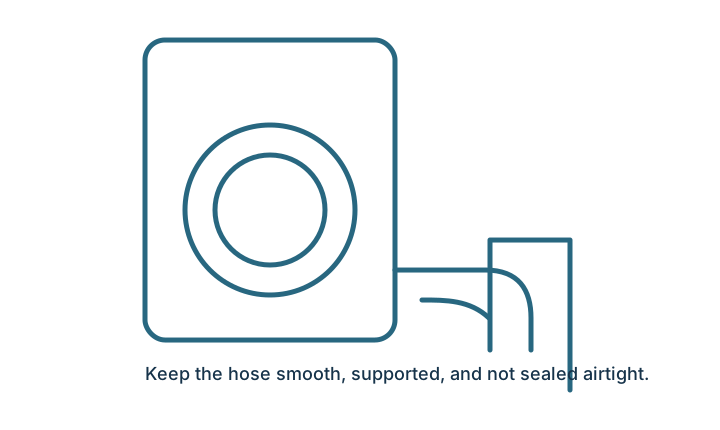
The drain hose may be inserted too deeply, sealed without an air gap, or positioned in a way that allows siphoning or backflow.
These patterns narrow the next check; they do not confirm a failed part. Use the exact model number and any displayed code before ordering parts or authorizing repair.
Try these checks in order
Exact controls and access points differ by model. Stop when a step does not match your appliance or manual.
- 1
Remove a simple cycle issue
Wait two minutes, then select Drain, Spin, or Cancel and Drain if your controls offer it. A paused or interrupted cycle can leave water behind.
What you want: The pump starts and the water level falls. - 2
Check the drain hose
Look behind the washer for a crushed, sharply bent, or frozen hose. Do not pull the machine farther than the hoses and cord allow.
What you want: The hose has a smooth path to the drain. - 3
Check the standpipe height
Confirm the hose is not pushed too far down the drain and is not sealed airtight. Use the installation guide for the correct height.
What you want: The hose is secure but has an air gap. - 4
Reduce an unbalanced load
If the drum is packed or one heavy item is on one side, remove some items and run Drain and Spin again.
What you want: The load can move and balance. - 5
Clean only an owner-accessible filter
Some front-load washers have a small pump filter behind a lower access door. Follow the exact model manual and prepare for water.
What you want: Lint or a small object is removed and the cap seals correctly.
Most common categories
Possible causes to consider
- An interrupted cycle or a setting that does not include a full drain and high-speed spin.
- A kinked, crushed, frozen, or incorrectly installed drain hose.
- An overloaded or unbalanced load that prevents the washer from completing the final spin.
- Lint or a small object in a filter the manufacturer identifies as owner-accessible.
- A pump, lock, sensor, wiring, or control issue that requires model-specific diagnosis.
Stop and arrange help when
- Water is leaking onto an outlet, cord, or control area.
- There is a burning smell, smoke, or repeated breaker trip.
- The filter or pump is not listed as owner-accessible in the manual.
- The machine hums without draining after the visible path is clear.
If the problem remains
Find the full model number. Open the official manual, check for a recall, and describe which checks you completed before contacting service.
Outcome check
Did these checks resolve the problem?
Your answer helps identify which guides need improvement. No appliance details are submitted.
Common questions
Washing machine not draining: FAQs
Can a washing machine spin if it will not drain?
Many washers limit or stop high-speed spin when water remains in the drum. Resolve the visible drain issue first, then retry a Drain and Spin cycle.
How do I remove water from a washer safely?
Use only the emergency-drain hose, pump-filter procedure, or other method shown in the manual for your exact model. Do not tip the washer or open an unlisted panel.
Why does water come back after the washer drains?
A drain hose pushed too far into the standpipe, an airtight seal, or a plumbing backup can allow siphoning or backflow. Compare the installation with the model guide.
Research and verification
Source basis
This general guide was reviewed against official manufacturer support libraries and safety guidance. Exact controls, access points, installation limits, and reset procedures vary by model; the manual for your exact model takes priority.
See something unclear or incorrect?
Send the page link, appliance model, and the detail that needs review.